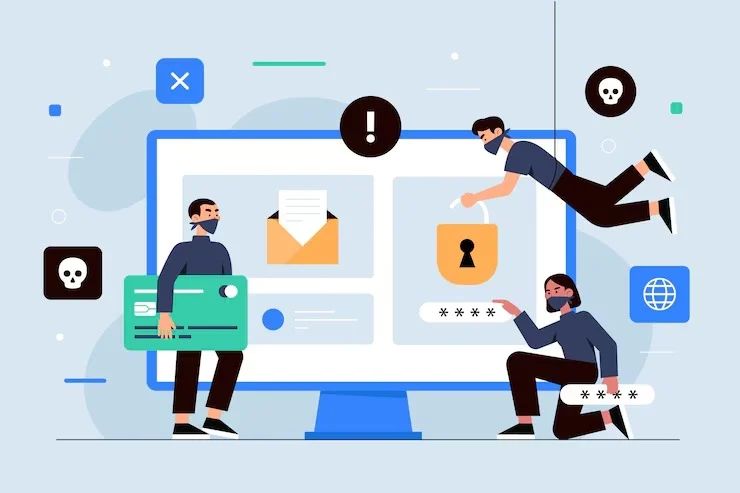
Yes, expired plugins can create hidden website vulnerabilities. When a plugin is no longer supported, its security weaknesses may remain unresolved, even if your website appears to work normally. An outdated plugin can become an entry point for attackers, affect website performance, create compatibility problems, or expose sensitive information.
If you manage a business website, you should treat plugin expiration as a security and maintenance issue—not simply an update reminder.
What Does an Expired Plugin Mean?
An expired plugin is typically one that is no longer receiving updates, security patches, bug fixes, or developer support. This can happen when the developer abandons the plugin, ends support for an older version, or replaces it with another product.
Your plugin may continue functioning after support ends. That can make the risk difficult to notice.
For example, you might still be able to publish content, process forms, or manage your website normally. However, an undiscovered vulnerability inside the plugin could remain exploitable.
How Can Expired Plugins Create Hidden Vulnerabilities?
1. Unpatched Security Flaws Can Remain Open
Security researchers regularly discover vulnerabilities in website plugins. Developers can address these problems by releasing patches and updated versions.
When a plugin is no longer maintained, new vulnerabilities may never receive a fix. If you continue using that plugin, your website can remain exposed.
Attackers may exploit weaknesses involving authentication, file uploads, database queries, permissions, or other plugin functions.
2. Compatibility Problems Can Create Additional Risks
Your website does not operate in isolation. Plugins interact with your content management system, theme, hosting environment, database, and other extensions.
As your website platform receives updates, an expired plugin may stop working correctly with newer software. This can cause errors or unexpected behavior.
In some situations, compatibility issues can weaken security controls or interfere with other security tools. Regular maintenance helps you identify these problems before they become more serious.
3. Abandoned Plugins May Contain Known Vulnerabilities
An abandoned plugin can become particularly concerning when publicly documented vulnerabilities exist.
Once a vulnerability is known, attackers do not necessarily need to discover it themselves. Security information can become available online, making vulnerable versions easier to identify.
That is why simply hiding an outdated plugin from visitors does not eliminate the risk.
4. Unused Plugins Can Still Increase Your Attack Surface
You might assume a disabled plugin cannot cause problems. However, keeping unnecessary software installed adds complexity to your website.
A good maintenance process should identify plugins you no longer need and remove them safely. You should also avoid downloading plugins from questionable sources simply because they appear to offer premium features for free.
What Should You Do If a Plugin Has Expired?
Start with a complete plugin inventory. Identify every installed plugin, its current version, update status, purpose, and developer support status.
Then ask:
- Is the plugin still actively maintained?
- Does it have known security issues?
- Is there a supported replacement?
- Is the plugin actually necessary?
- Is your website’s CMS compatible with its current version?
- Have you backed up your website before making changes?
For businesses that do not have the time or technical resources to monitor these areas, professional Website Maintenance Packages for ongoing plugin monitoring and updates can help establish a more consistent maintenance routine.
Why Regular Plugin Monitoring Matters
Plugin security is not a one-time task. A plugin that is safe today could become outdated later.
Your maintenance process should include:
Regular updates: Keep supported plugins, themes, and your website platform updated.
Security monitoring: Watch for vulnerability announcements and suspicious website activity.
Backup verification: Maintain reliable backups so you have a recovery option if something goes wrong.
Plugin audits: Review whether every installed plugin is still necessary.
Compatibility checks: Test important website functions after significant updates.
Removal of abandoned software: Replace unsupported plugins instead of allowing them to remain indefinitely.
A structured Website Maintenance Services for ongoing plugin updates and security monitoring plan can make these recurring tasks easier to manage and document.
Can You Replace an Expired Plugin Safely?
Yes, but you should avoid making changes blindly.
Before replacing an expired plugin, create a current backup and identify what functionality the plugin provides. Then select a reputable alternative that receives ongoing updates.
After installation, test important functions such as contact forms, login systems, checkout processes, search features, and user interactions.
If the website supports your business operations, testing should happen before and after the replacement so you can identify unexpected changes quickly.
How Professional Website Maintenance Helps
You may not notice a vulnerable plugin until something goes wrong. A professional maintenance process gives you a proactive way to identify outdated software, remove unnecessary components, apply appropriate updates, and monitor website functionality.
For businesses that depend on their websites for leads, sales, bookings, or customer communication, this consistency can be especially important.
JDM Web Technologies provides website-related solutions designed to help businesses maintain their online presence. You can learn more through JDM Web Technologies website maintenance solutions.
Frequently Asked Questions
1. Can an expired plugin hack my website?
An expired plugin can increase security risk because it may contain vulnerabilities that are no longer patched. The actual risk depends on the plugin, vulnerability, configuration, website environment, and whether attackers can reach the vulnerable functionality.
2. Should I delete expired plugins?
If a plugin is no longer needed or supported, removing it is generally preferable to leaving unnecessary software installed. Before deletion, confirm that your website does not depend on its functionality and create a current backup.
3. How often should plugins be checked?
You should monitor plugins regularly rather than waiting for problems. A maintenance process can include update checks, vulnerability monitoring, compatibility testing, backups, and reviews of plugins that are no longer needed.
4. Can updating an old plugin break my website?
Yes. Updates can sometimes create compatibility issues with themes, other plugins, or your website platform. Backing up your website and testing important functions before and after major updates can reduce disruption.
5. What should I do if my website uses an abandoned plugin?
Identify what the plugin does, check whether a supported replacement exists, back up your website, and test the replacement before removing the old plugin. If the functionality is important, professional maintenance assistance can help reduce implementation risks.
Keep Expired Plugins From Becoming a Hidden Risk
An expired plugin may not cause an obvious problem today, but leaving unsupported software on your website can increase your exposure to security and compatibility issues. Regular plugin audits, reliable backups, timely updates, and careful replacement of abandoned software can help you maintain a healthier website.
If you need help reviewing or maintaining your website, contact JDM Web Technologies to discuss your maintenance requirements.