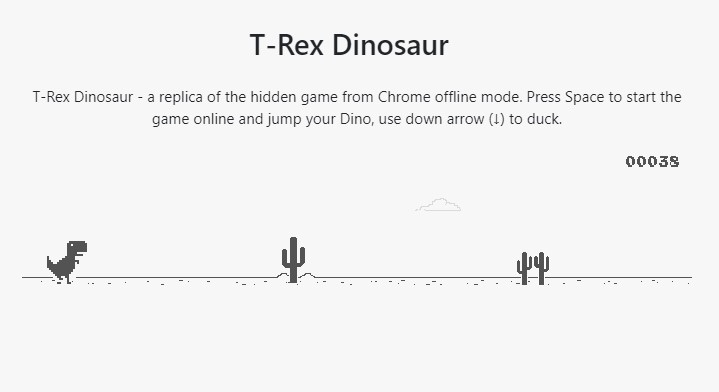
Chromium Dino, or as many users call it, “that running Trex when Chrome’s offline”, is a great way to pass the time until your computer or phone has an internet connection. Users love it so much that they want to play it on their phone or PC. We made sure to show you how to quickly turn on Dinosaur on your smartphone and PC. Find out more.
1. Chrome: Allow the Dinosaur Game on Desktop
Chrome is the usual location to find the funny dinosaur running game. Chrome supports it on all platforms. You can also start the game offline by typing chrome:// dino into the Adress Bar/Omnibox and then pressing the Enter key. Play online on Dinosaur Game. The game will start once you hit Space. Prepare to leap over cactus obstacles and avoid crows during your next record-breaking run.
The DinoSwords version of the game is a great alternative to the original. It adds many weapons to spice up the jump-and-run gameplay. Do you want your T-Rex runner favorite to use a flamethrower? Dino Swords can make it possible. It is available here. You can also download the game offline.
2. Chrome Dinosaur is available for Android and iOS.
Google has Chrome widgets for iOS and Android to help you get to dino, a popular offline game that began as a joke. All you have to do is install Chrome on your Android and iPhone. Unfortunately, this shortcut is not the complete game and cannot be used in conjunction with a resizable widget.

How to activate Dinosaur on Android, iPhone, and PC
This is how you can use the Chrome widget on Android and iOS to activate the Dinosaur Game.
- Tap and hold the Home Screen until editing becomes possible.
- On Android, open Widgets. Tap on the plus sign in iOS.
- Find the Chrome widget in the Widgets List and the Chromium Dino.
- Add the widget to you Home Screen. Next time you tap the widget, it will take you to chrome://dino. Here you can play the dinosaur game.
This concludes the article. We appreciate your time and we thank you for reading. Please share your top score below in the comments.